
Download ガンジス PDF分割 – PDF分割, PDFツール, ラベル印刷, クリックポスト
Overview
ガンジス PDF分割 is a specialized utility designed to simplify the management and printing of PDF documents, particularly for users engaged in frequent mailing activities. The app is optimized for handling PDFs used with Japan Post's Click Post service, enabling efficient division of documents into four distinct segments. This functionality supports the printing of A6-sized labels and various envelope formats, making it a practical tool for both individuals and small businesses managing high-volume postal tasks. The application streamlines workflows by reducing manual adjustments and preparing documents for direct printing, thereby improving operational efficiency.
Its primary purpose is to address the challenges associated with formatting and printing small-sized labels from larger PDF files. By automatically splitting a single PDF into four equal parts, the app ensures that content remains legible and properly aligned on compact surfaces. This feature is especially valuable in environments where precision and consistency are critical, such as e-commerce fulfillment centers, freelance mailers, or home-based entrepreneurs. Although the developer did not provide additional background information, the app's targeted functionality suggests a focus on practical, real-world solutions for document handling in postal services.
Real-world use cases include preparing shipping labels for multiple parcels, organizing address information for bulk mailings, and adapting PDFs from various sources for consistent printing. The app plays a meaningful role in the mobile productivity ecosystem by offering a lightweight, focused tool for a niche but important task. Its release on August 22, 2024, reflects an ongoing demand for efficient, specialized utilities in the digital postal workflow.
Key Features & Functionality
- Multi-Segment Division: The app enables users to split a single PDF into four equal parts, ideal for fitting content onto A6 labels or other small envelope sizes. This ensures optimal use of space and maintains readability.
- Versatile PDF Support: Unlike some tools restricted to specific PDF sources, ガンジス PDF分割 accepts files from any origin, making it adaptable for users regardless of how their documents were created.
- Direct Printing Enhancement: The app prepares documents for immediate printing, minimizing the need for manual formatting or adjustments before sending to a printer.
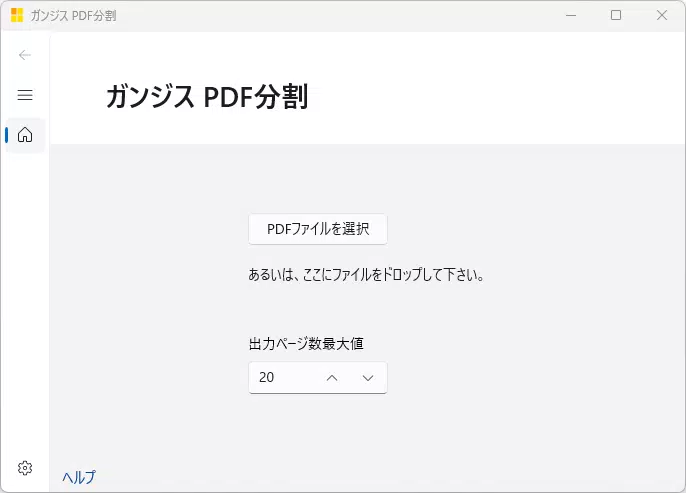
- User-Friendly Interface: Designed with simplicity in mind, the interface allows quick navigation and minimal learning curve, suitable for both beginners and experienced users.
- Time-Saving Efficiency: By automating the segmentation and print preparation process, the app reduces the time required for label creation and mailing tasks, enhancing overall productivity.
For example, a small business owner preparing 100 shipping labels can upload a single PDF and instantly generate four segments per page, which can then be printed directly without additional software. Similarly, a freelance designer managing multiple client deliveries can use the app to standardize label formatting across different projects. The app’s ability to handle non-Click Post PDFs broadens its utility beyond a single service, offering a flexible solution for diverse printing needs.
Interface, UX & Performance
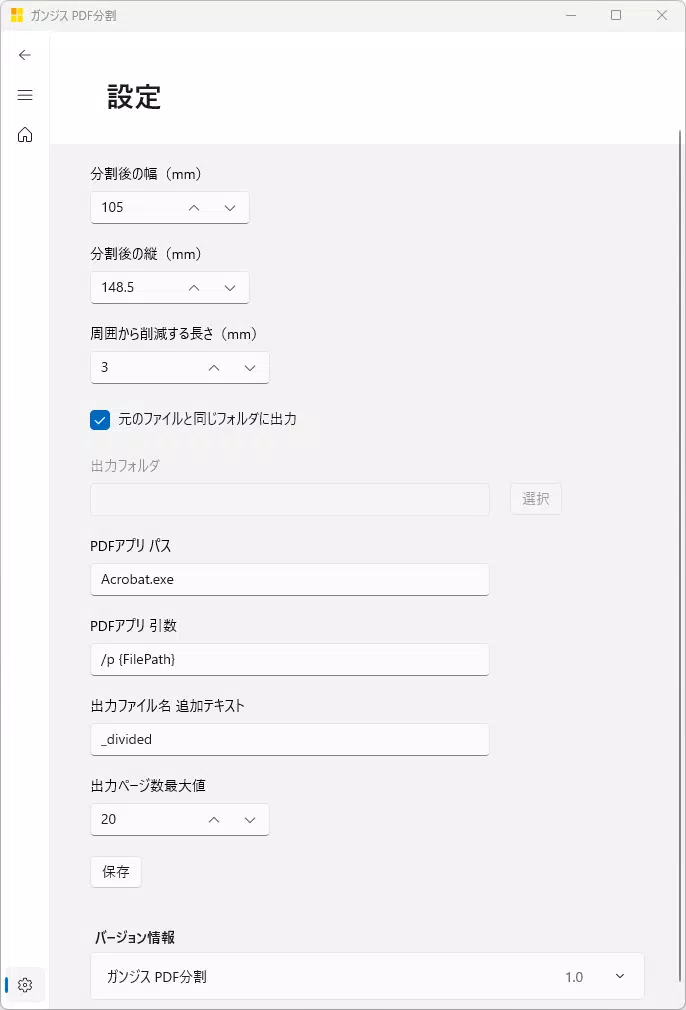
The interface of ガンジス PDF分割 is designed with usability in mind, featuring a clean layout that prioritizes core functions. Navigation is straightforward, allowing users to upload a PDF, initiate the split process, and prepare for printing with minimal steps. The visual style is minimalistic, focusing on functionality without unnecessary distractions, which supports quick task completion.
Although the developer did not list formal performance metrics, the app appears optimized for responsiveness on standard mobile devices. Users can expect smooth transitions between screens and timely processing of PDF files, even when handling moderately sized documents. Stability during file handling is likely maintained through efficient memory management, though specific details were not disclosed.
Performance across different device categories is not explicitly documented. However, based on the app’s lightweight nature and focused functionality, it is expected to operate reliably on mid-range and higher-end smartphones. The app’s design suggests compatibility with both portrait and landscape orientations, enhancing usability during printing workflows. Overall, the user experience is streamlined for efficiency, with an emphasis on reducing friction in the document preparation process.
Platform Compatibility & Technical Requirements
ガンジス PDF分割 is available on Android, as indicated by its release context and functionality. The app’s software version is not specified beyond its release date of August 22, 2024. The file size is reported as 10.5 MB, suggesting a compact and lightweight installation that minimizes storage impact on mobile devices.
The developer did not specify minimum OS requirements or compatibility details beyond the platform. As such, users should verify whether the app is compatible with their device’s operating system version. While it is likely designed for modern Android versions, the absence of formal requirements means compatibility cannot be guaranteed across all devices. Users are advised to check their device specifications before attempting installation.
Pros and Cons
- Specialized for efficient PDF segmentation and label printing
- Supports PDFs from any source, not limited to Click Post
- Intuitive interface with minimal learning curve
- Reduces time and effort in preparing mailing documents
- Compact file size enhances installation speed and storage efficiency
- Specific OS requirements were not listed
- No information on update frequency or future development plans
- Compatibility with older Android versions is unclear
- Limited to PDF splitting and printing—no advanced editing features
- Developer background and support channels were not disclosed
FAQ
Is ガンジス PDF分割 compatible with iOS?
The app is currently available on Android. No information was provided about iOS compatibility.
Can I use this app with PDFs not generated by Click Post?
Yes, the app supports PDFs from any source, making it suitable for a wide range of users regardless of how their documents were created.
How large is the app file size?
The app has a file size of 10.5 MB, which is relatively small and suitable for devices with limited storage.
Is the app free to download and use?
The app's price was not specified in the provided information. Users should check the official store listing for current pricing details.
Does the app require internet access?
Based on its functionality, the app appears to operate offline. No internet connection is required for PDF splitting or printing preparation.
Final Thoughts
ガンジス PDF分割 delivers a focused, efficient solution for users managing frequent mailing tasks, particularly those involving A6 labels or envelope printing. Its ability to split PDFs into four segments and prepare them for direct printing makes it a valuable tool in the digital workflow of small businesses and individual users alike. The app’s versatility in handling PDFs from any source enhances its practicality beyond a single service, offering broader utility.
While some technical details remain unspecified, the app’s clean interface, compact size, and time-saving functionality stand out. For anyone seeking a reliable, lightweight tool to streamline label preparation and printing, ガンジス PDF分割 is a strong candidate. Its release in August 2024 positions it as a modern solution tailored to current postal needs.
Download ガンジス PDF分割 now


